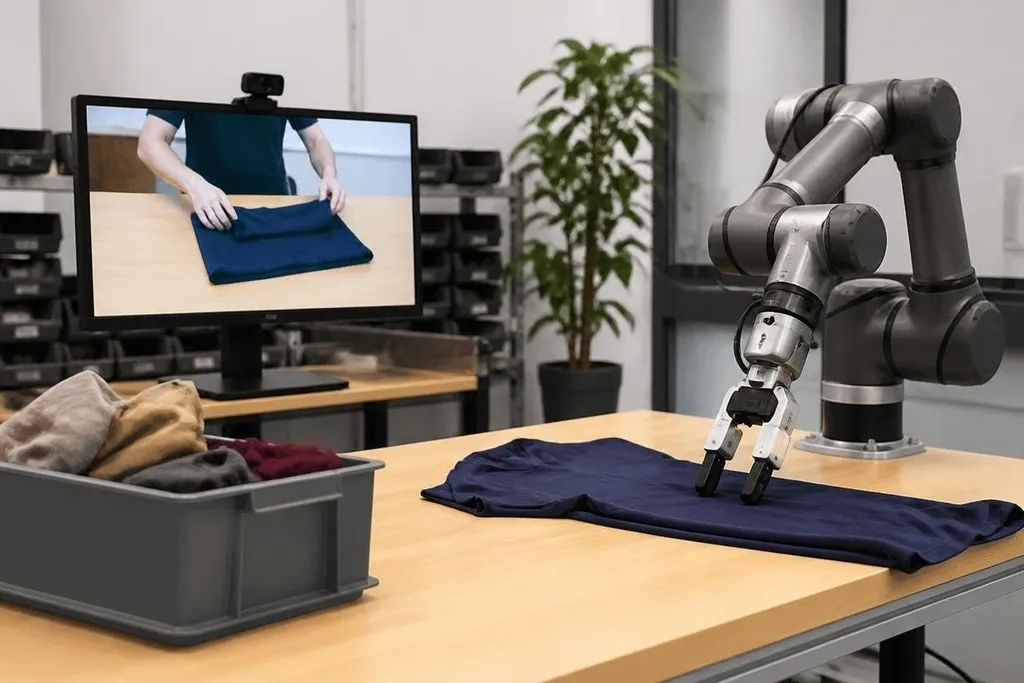
A robot can watch someone fold a shirt, pour water, or use a tool. The hard part starts when the robot must repeat that task with its own hands, sensors, and limits.
For an engineer or automation manager, video is useful training data. It can show the order of actions, but it rarely shows the force, contact, or safety checks needed to finish the job.
- Video shows task order and object movement.
- Robot control still needs touch, depth, and force data.
- A short test in the real work area decides if the method is useful.
What a robot can learn from video
A video gives a robot images over time. Software can mark objects, track their movement, and split a task into steps such as reach, pick up, move, and place.
That sequence gives the robot a rough plan. A cooking video may show a person lifting a pan, moving it over a stove, and setting it down. The robot can learn that the pan changes position after the hand reaches it.
The video also shows variation. A person may use different grips, work from different angles, or place an object in a new spot. More varied footage can help software identify the parts of a task that stay the same.
The word “rough” matters. A camera records light, not the force between a hand and an object. It may show a cup moving without showing whether the person used 2 N or 20 N of grip force.
Why the robot still needs more data
A robot must connect what it sees to motor commands. That link is often called a policy: software that chooses the next movement from sensor input.
That footage can suggest the movement, but it doesn't tell the robot how far its arm should move in millimeters. It also misses details hidden by the hand, glare on a surface, a loose cable, or an object that weighs more than it looks.
The camera angle creates another problem. A person may reach around an object, while the robot's arm approaches from a fixed position. The same action can need a different path when the robot has a different body, gripper, or range of motion.
Contact is where many video plans meet their limit. Pushing a plug into a socket, turning a stiff valve, or sliding a box along a shelf needs force feedback. The robot has to feel resistance and change its motion before the motor stalls.
From video to a working robot
A useful system would combine video with robot demonstrations, simulation, and live correction. Video supplies examples of the task.
A person or another robot then supplies the missing link between an image and a safe movement. Simulation can test many object positions without risking hardware, but the results still need a check on the real robot because friction, lighting, cable drag, and small gaps rarely match the computer model.
A video-based method needs a named robot and a recorded task behind it. Reports on robot learning from Robot24.com can connect those details before the next section sets out the safety limits.
The robot also needs a way to stop. A video never gives a complete safety plan for a shared work area. A real deployment needs limits on speed, force, workspace, and human access, plus a clear stop control.
What remains unproven
The open issue is not whether software can find actions in video. It is whether those actions transfer to a robot that has different hardware and must work without a person correcting every move.
A clean demonstration can hide the setup. The object may already be in the right place, the video may skip failed attempts, and a person may guide the task outside the camera frame. Those gaps matter when a factory needs repeatable output over many hours.
Cost also changes the answer. If each new task needs many robot demonstrations and careful tuning, video may reduce some work without removing the main engineering bill. I'd treat video learning as a way to start a task model, not as a replacement for robot trials.
A practical test before you build around it
Use this checklist when judging a video-learning system:
- Name the missing signal: Can the system get depth, force, or touch data where the video cannot?
- Check the hardware match: Does the training video show a body and gripper close to the robot you will run?
- Test object changes: Try new sizes, colors, positions, and weights rather than one prepared setup.
- Measure recovery: Count how often the robot fixes a small error without human control.
- Set a stop rule: Define the force, speed, and failure rate that ends the trial.
- Price the full work: Include data collection, setup, tuning, safety checks, and repeat tests.
A video-based system earns its place when it cuts setup time and still handles small changes safely. The next useful proof is simple: show the same robot completing the task with new objects, new camera views, and no hidden human guidance.